M Melios

Using Magento Page Builder? Make it better.

Keep the Page Builder your store already runs on. Melios makes it quick, keyboard-friendly and — honestly — a bit delightful. Instant preview, quick save, live reload, and much more.

nothing to migrate — your content stays put

Magento 2.4.4+ · Mage-OS readyLuma · Breeze · Hyvä

The sighs, removed

The little things that made you sigh.

We kept everything that works. We fixed everything that did not.

Before
Every save means closing Page Builder.
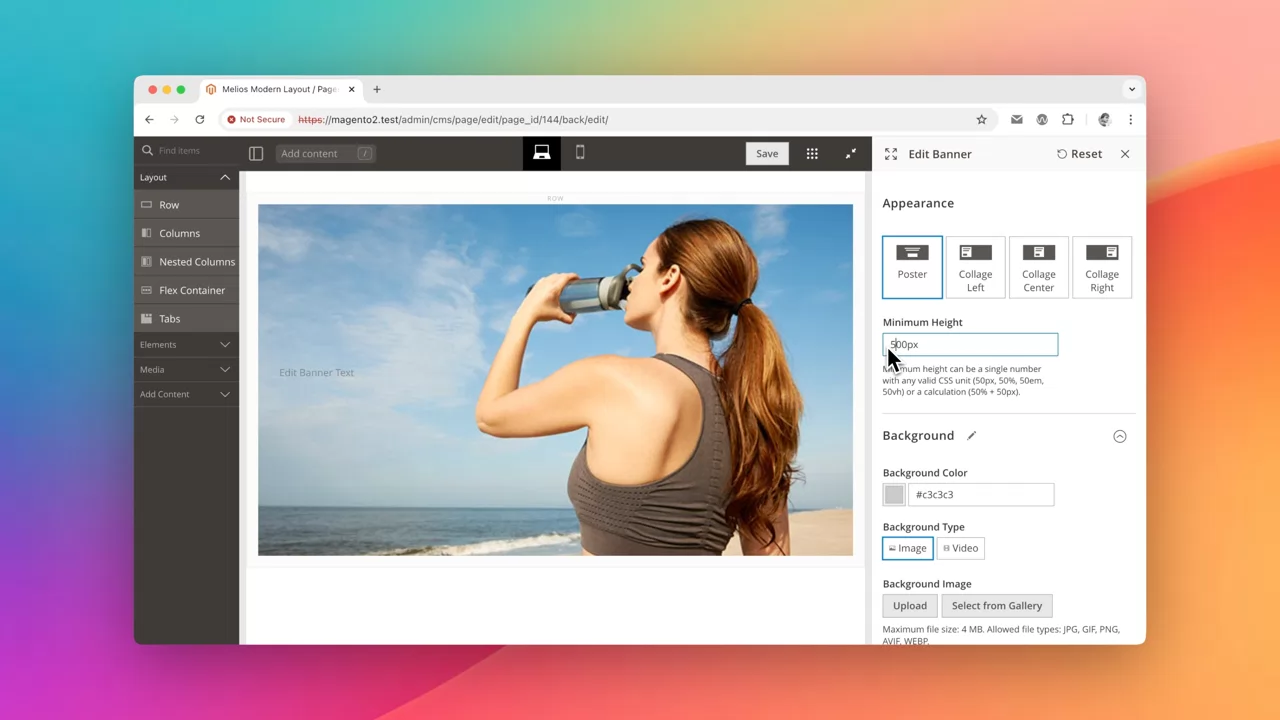
The edit form covers the content you are editing.
Wrong image size? Leave Magento, open Photoshop, re-upload.
HTML in a bare textarea — one typo silently breaks the layout.
Not possible to copy the element between pages.
Columns for mobile view? No way.
Every image and background you add killing Pagespeed.
After
Ctrl+S saves in place, and reloads your storefront liveview.
Instant Preview keeps the stage visible while you edit.
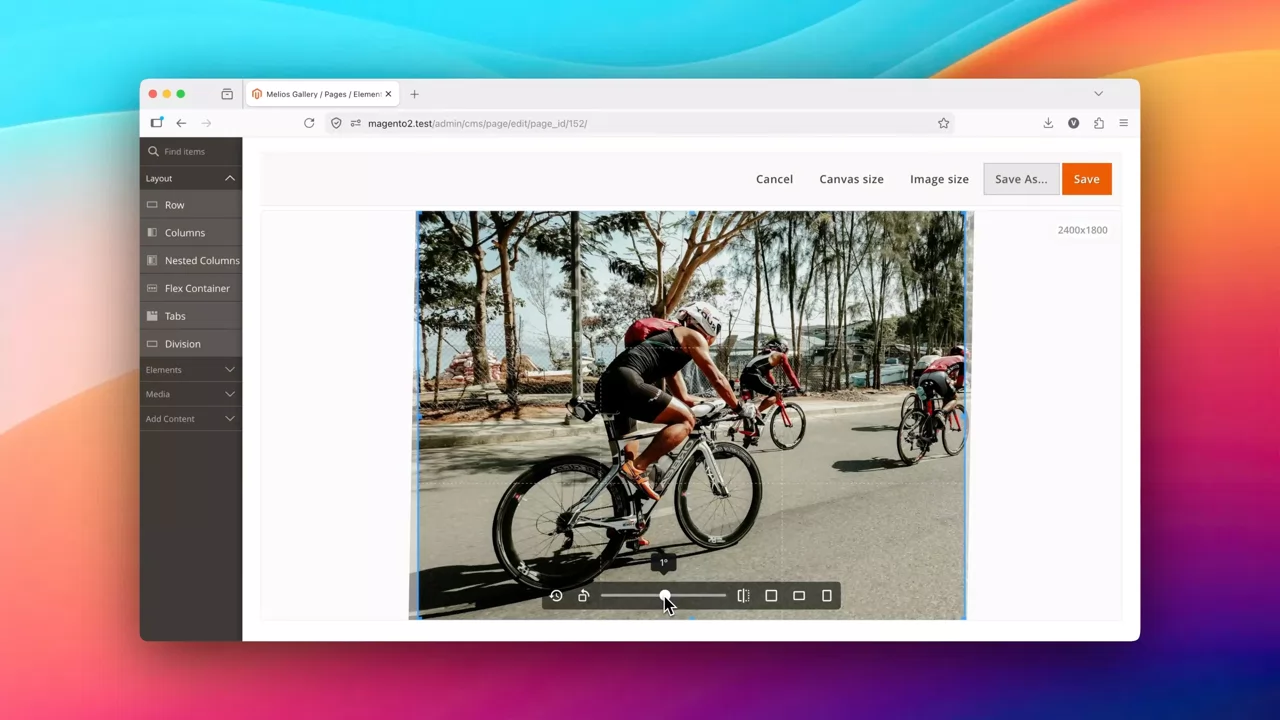
Crop, resize, rotate and convert to WEBP right in the backend.
Advanced editor with highlighting, validation, search & replace.
Copy-paste content using Ctrl+C and Ctrl+V.
Separate per-tablet and per-mobile settings for Columns element.
Lazy load and preload for images and backgrounds.

One page, start to finish

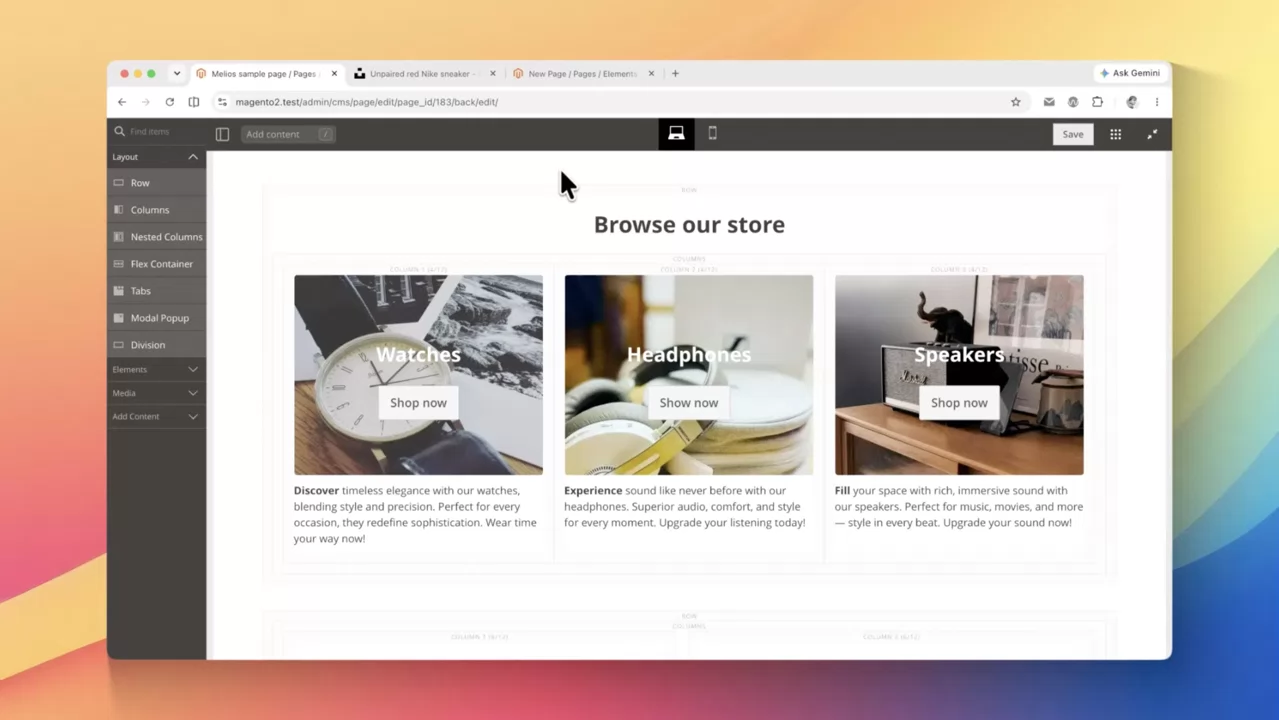
Watch a real page get built.

Five steps, one sitting, zero reloads.

The fun parts

Build anything, and enjoy it.

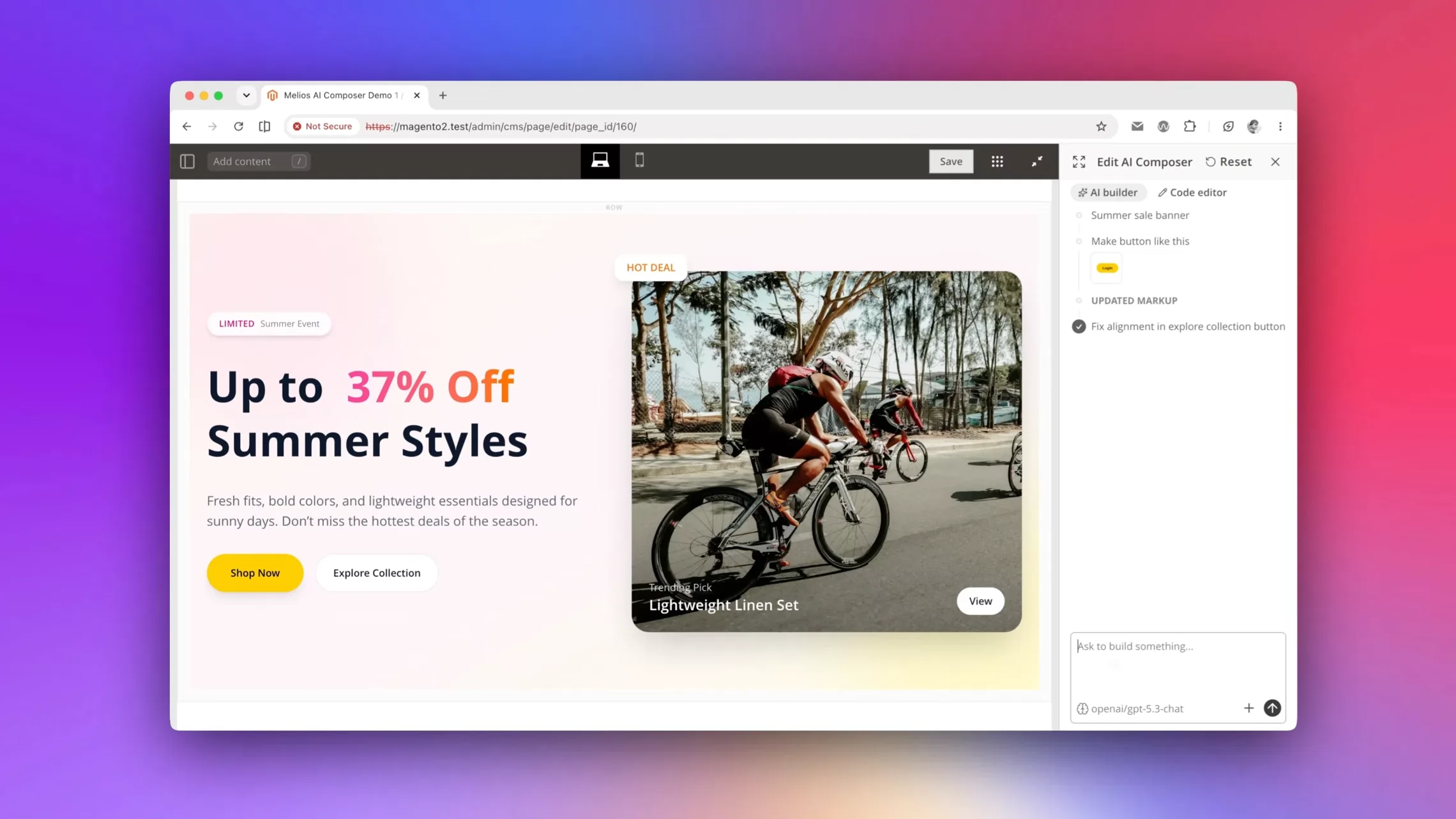
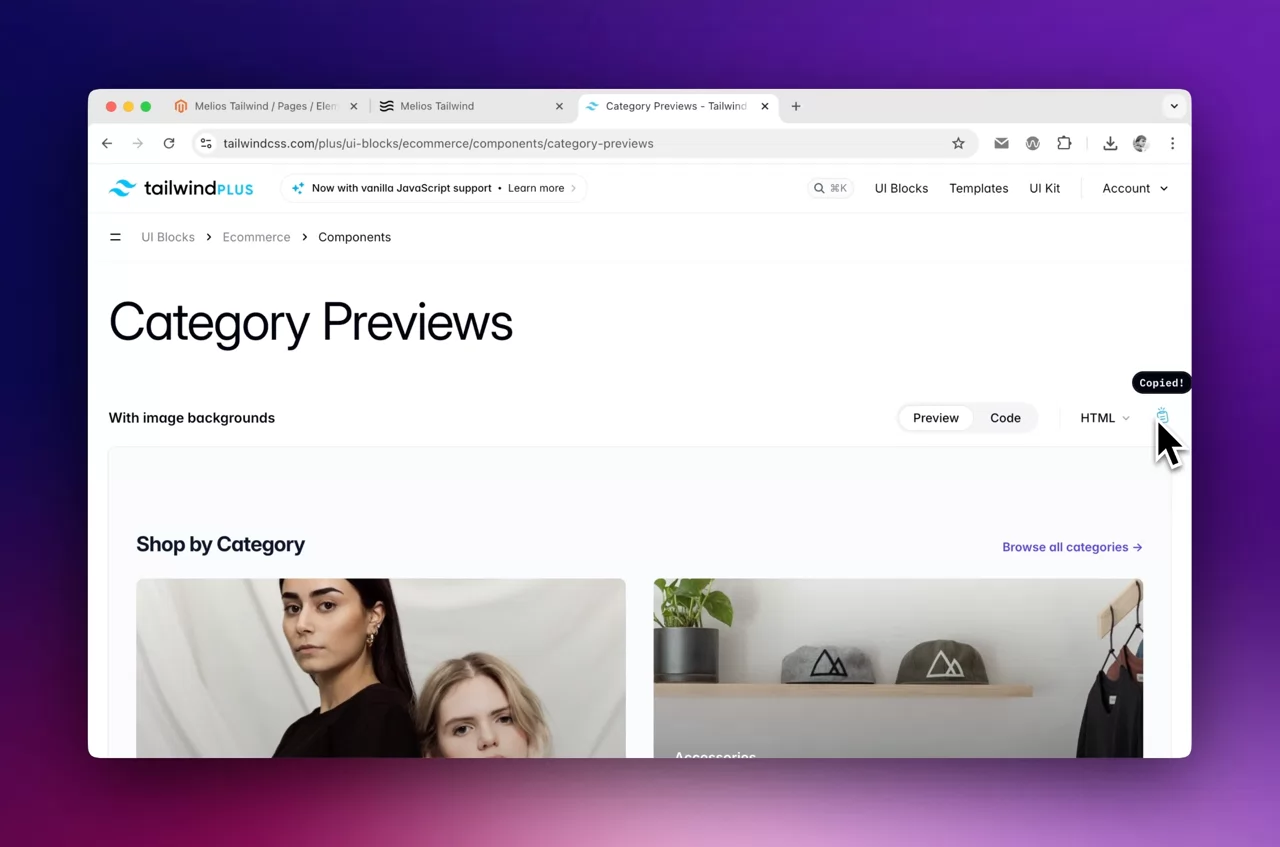
With additional elements, there is nothing impossible. Take a look at ready-to-use presets! Copy one to your clipboard, paste it into Page Builder, and it simply works.

Browse all elements →

Everything, in five groups

Five things Melios makes better.

Each group has its own colour. Follow the one you came here for.

01 Core editing

The editor stops fighting you.

Saving, previewing and inserting — the three things you do all day, made instant.

Ctrl+S

Quick Save

Save without closing Page Builder. The stage stays exactly where you left it.

Instant Preview

See what you edit

The edit form no longer covers the content. Change a value, watch it land.

Ctrl+C · Ctrl+V

Native copy-paste

Copy-paste content between different pages, blocks, Magento Installations, whatever.

Spotlight

Insert by typing

Search any element and drop it in place. Keyboard or mouse — your choice.

Also in core Hotkeys for everything · Unlimited installations
02 Media

No more round trip to Photoshop.

Crop, convert and upload modern formats without leaving the Magento backend.

free, all of it

Media Gallery — built-in editor
crop · resize · rotate

Image editor inside

Fix the wrong crop where you found it, then rename and re-save in one pass.

svg · webp · avif

Modern formats, anywhere

Upload them wherever Magento uses its standard uploader — and convert on the spot.

03 AI · Pro

Your model. Your key. Your copy.

Bring OpenAI or OpenRouter. Nothing is routed through us, and no seat pricing appears.

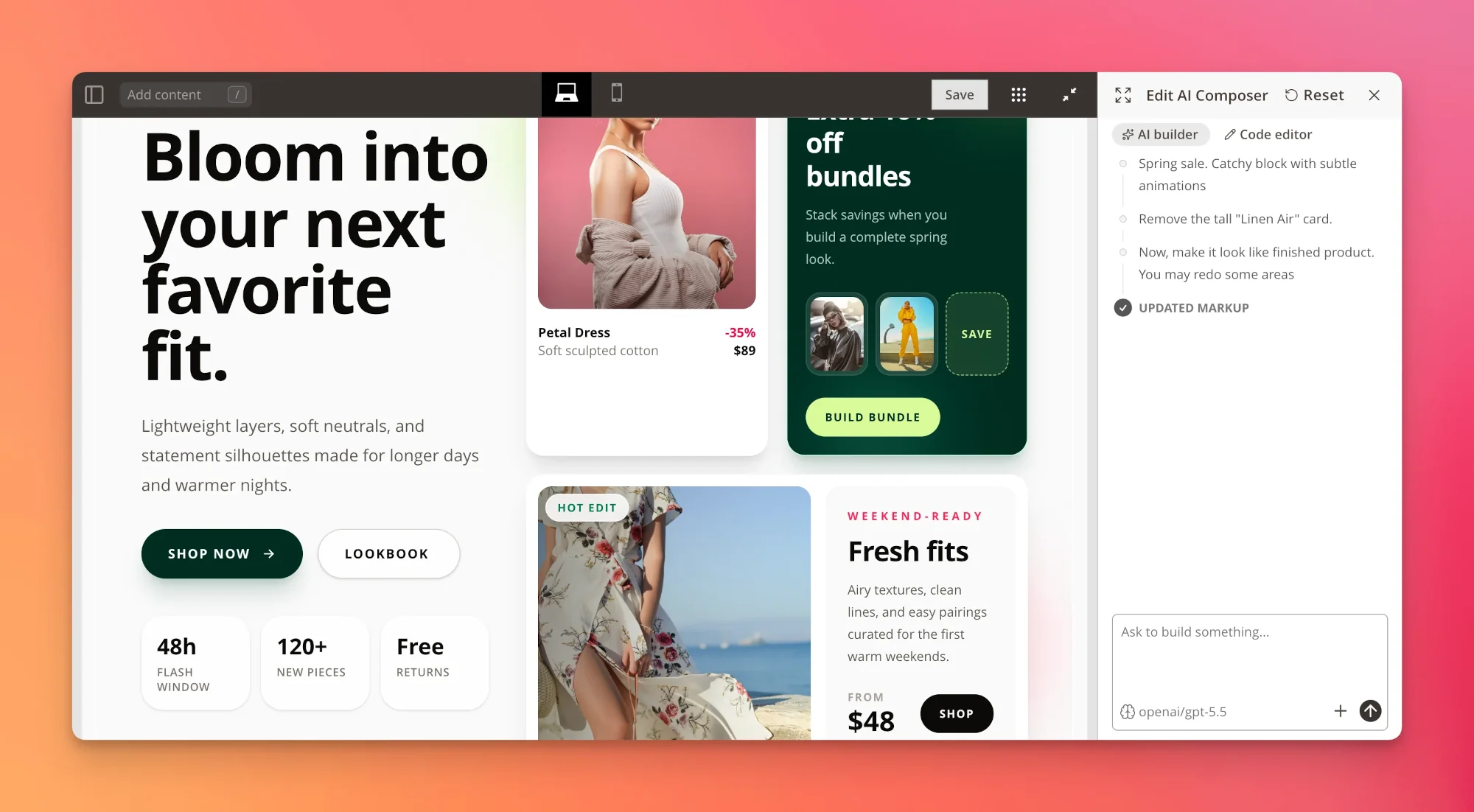
✦ AI Composer

Describe a section, get a section

Start from a prompt, then refine the result like any other Page Builder content — because it is.

Assistant on selection

Fix grammar, expand, shorten or rewrite the text you highlighted.

Translate every locale

Translate content into another language, straight from the editor.

OpenAI · OpenRouter · OpenRouter auto-model keeps the bill down
04 Developers

A real editor, right where you work.

Tailwind, CodeMirror, live reload — everything for a joyful development.

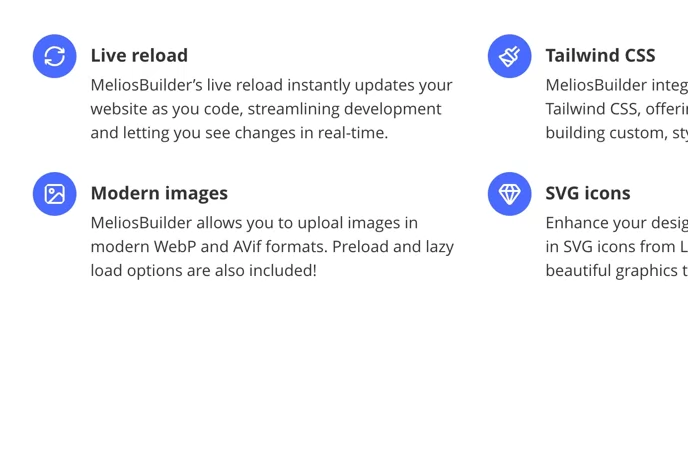
Tailwind CSS

Paste Tailwind, it just works

The generator runs on save and emits only the classes you actually used. Keep the page tidy.

CodeMirror

Code like a pro

Highlighting, validation, search & replace, fullscreen, multiple cursors.

Live reload

Storefront follows along

Save in the editor, the liveview tab refreshes itself. Pro.

View Source

Read the real markup

Inspect and edit what Page Builder stored, without guessing.

GPLv3

Open source core

Read it, fork it, audit it before it touches production.

05 Performance

Pagespeed controls you can actually reach.

Per-image loading rules, no layout shift, and a stylesheet that only carries what the page uses.

lazy · eager

Loading mode per image

Including background images, which Magento normally leaves out of reach.

preload

Promote the hero

Tell the browser which asset matters first — LCP thanks you.

width · height

No layout shift

Dimensions are filled in for you, so nothing jumps as images arrive.

on save

Only the CSS you used

The Tailwind build runs at save time — the storefront never ships dead rules.

The scary part, defused

It cannot break your content.

Melios adds to Magento's own Page Builder — it does not replace it, fork it, or rewrite what you have saved. Turn it off and every page still works.

It is additive

Melios extends the Page Builder UI. Your saved pages, blocks and templates are untouched.

Reversible

Disable the module and every page renders exactly as before. Nothing to migrate back.

Storefront-agnostic

Luma and Breeze on every tier, Hyvä on Pro. No theme rewrites.

Only the CSS you used

The Tailwind generator runs on save, so the storefront never ships a bloated stylesheet.

Pay once, or never

Free forever. Pro is $99 once — not a subscription.

Free

GNU GPLv3
$0

Modern layout, image editor, Tailwind CSS, modern image formats, CodeMirror, unlimited installations.

Install now

Pro

lifetime updates
$99

Everything in Free, plus AI Composer & assistant, all premium elements, quick save, live reload, Hyvä support.

Compare plans 15-day refund

Before you ask

The questions we always get.

Everything else lives in the docs — or just email vova@meliosbuilder.com and a human replies.

Will it change content I already built?
No. Melios improves the Page Builder interface; the content format is Magento’s own. Existing pages open, render and save exactly as before.
What happens if I uninstall it?
If you added Melios Elements to some of your pages, you should remove them before uninstallation. Otherwise, these elements will not work correctly.
How is the license counted?
Pro is one live Magento installation, with unlimited development and staging domains on the same key. Extra live installs need their own key.
Does it work with Hyvä?
Yes, on Pro. Luma and Breezefront are supported on both Free and Pro.
What are the requirements?
PHP 8.0 or newer, Magento 2.4.4+ (or Mage-OS), and Magento Page Builder 1.7.3 or newer.
Which AI models can I use?
Bring your own key for OpenAI or OpenRouter — including OpenRouter’s auto model, which switches between providers to keep costs down.

Ready to enjoy Page Builder?

One composer command. Nothing to migrate. No hard feelings if you keep the old way.

$ composer require melios/page-builder

Not installing today? Starring it is how you find it again.

© 2026 Melios · Free edition licensed under GNU GPLv3