TLDR; How?!
Melios Page Builder provides Tailwind CSS integration for the
Magento backend panel. You can use classic helpers like
m-4 p-4 bg-gray-100 or fully featured arbitrary selectors
like [&_details:last-child]:border-0.
In both cases, Melios Page Builder will prepend dynamically generated CSS to the HTML source.
Start using Melios Page Builder:
composer require melios/page-builder &&\
bin/magento module:enable Melios_PageBuilder --clear-static-content &&\
bin/magento melios:tailwind:download
When building a large Magento store, we face a lot of slightly updated design variations for different CMS elements.
Preserving the styles of these pages in your theme's CSS is not a good option, because this approach ends up with tons of slightly modified selectors and a bunch of unused styles that you'll eventually forget to remove:
/* Common CMS styles */
.cms-title {}
.cms-content {}
.cms-button {}
/* Many more other styles */

/* BF sale styles */
.sale-bf-men .cms-title {}
/*...*/

/* Other marketing pages */
.email-campaign-autumn .cms-title {}
/*...*/
This css file quickly becomes too large and too hard to manage. Not to mention that separating CSS from highly dynamic HTML is extremely unfriendly for developer. This leads us to solution #1.
Keeping the styles inside HTML sources
This solution is straightforward: write the styles right into the page's source code:
<style>
    .sale-bf-men .cms-title {}
</style>

<div class="sale-bf-men">
    <h1 class="cms-title">...</h1>
    ...
</div>
This approach solves both issues — until you try Tailwind. Once you feel the freedom of writing pure HTML without scrolling up and down, there's no going back!
Tailwind CSS
What makes Tailwind so wonderful is its dynamic nature. You always get the styles you actually use in the HTML. Fresh and autogenerated.
This is how the same section looks when using Tailwind:
<div>
    <h1 class="my-4 text-xl text-stone-900 md:text-4xl">...</h1>
</div>
Yes, there is no style tag, because all the necessary styles are added
dynamically!
Using Tailwind in Magento Page Builder
To get started, install the Melios Builder:
composer require melios/page-builder &&\
bin/magento module:enable Melios_PageBuilder --clear-static-content &&\
bin/magento melios:tailwind:download
After installation, you can start building your content. You can even copy and paste Tailwind templates right into Magento's HTML element! It's also worth to say that it works with all third-party modules as well!
You are not limited to using Tailwind inside HTML elements only. You can also use it with other elements like Tabs, Buttons, etc. using improved CSS class field with auto-formatting and multi-cursor features:
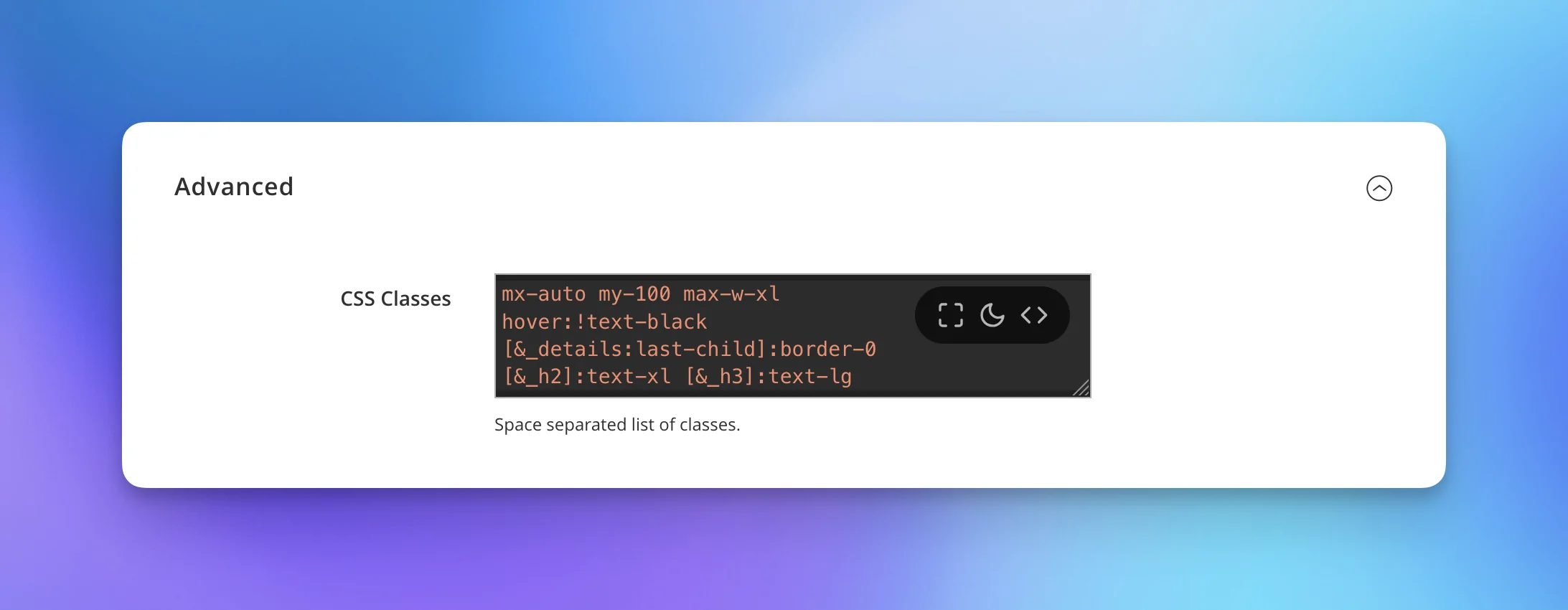
You may think that Melios uses a NodeJS under the hood, but it's not! Thanks to Tailwind's standalone binaries, we can use Tailwind as regular CLI command.
p.s. Running bin/magento melios:tailwind:download will update Tailwind to the
latest version as well.
Happy coding!